Visual Search allows you to find historical scans with visually similar screenshots based on an existing scan, often called Content-Based Image Retrieval. You query the API using an existing image instead of text-based search query. Visual Search works like popular search engines such as the Google Image Search or Tineye. Visual Search is able to reliable find scans with very similar screenshots and can also occasionally find screenshots which are more distinct in their visual appearance but still related to the query image.
You can use the Visual Search feature to find more instances of phishing page or general brand impersonation attempt. This is especially helpful for malicious sites which do not share any structure and infrastructure with existing detected phishing pages, as well as polymorphic phishing kits.
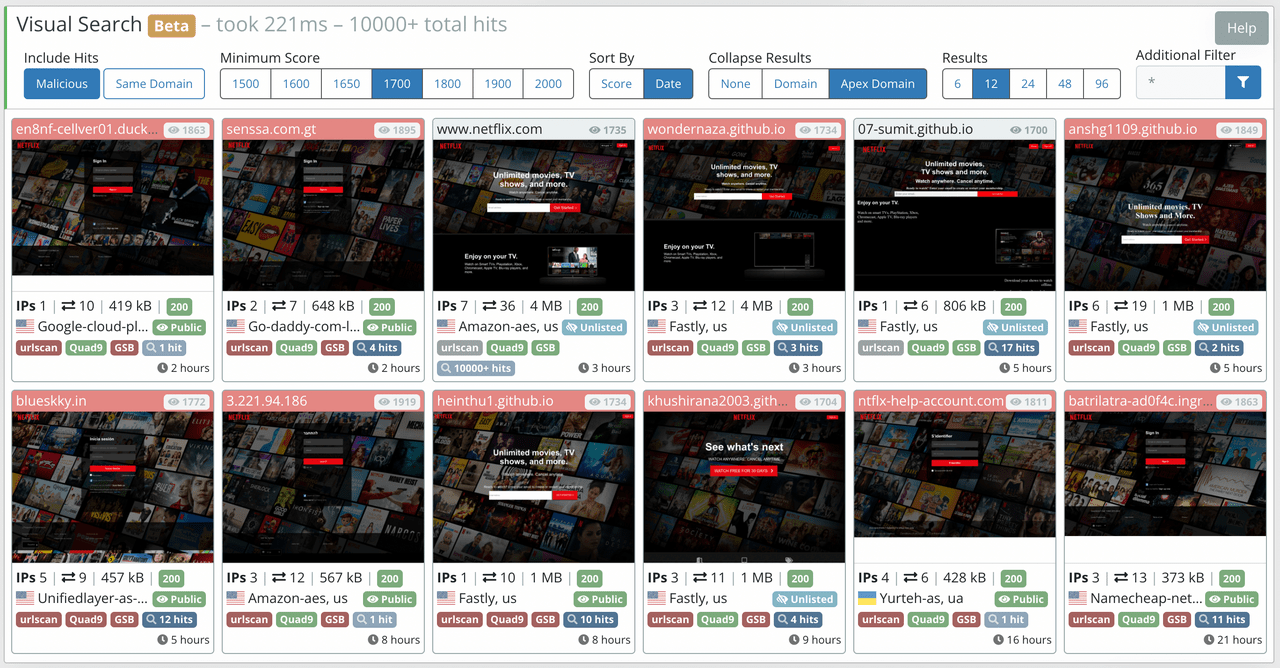
Find additional information about this proprietary feature on urlscan Pro.